Everything you need to learn by reading
Amund is a reader, dictionary and vocabulary trainer in one app. Spanish and French today, fully offline, and free.
Become a testerFree now. Free for good.
Everything in Amund today is free for as long as the app exists. There are no paywalls, no trials and no ads.
- Every current feature stays free
- Improvements to existing features are free
- New languages are free
- Most new features are likely to be free too
Works offline, completely
Download your language packs once. After that, nothing needs a connection.
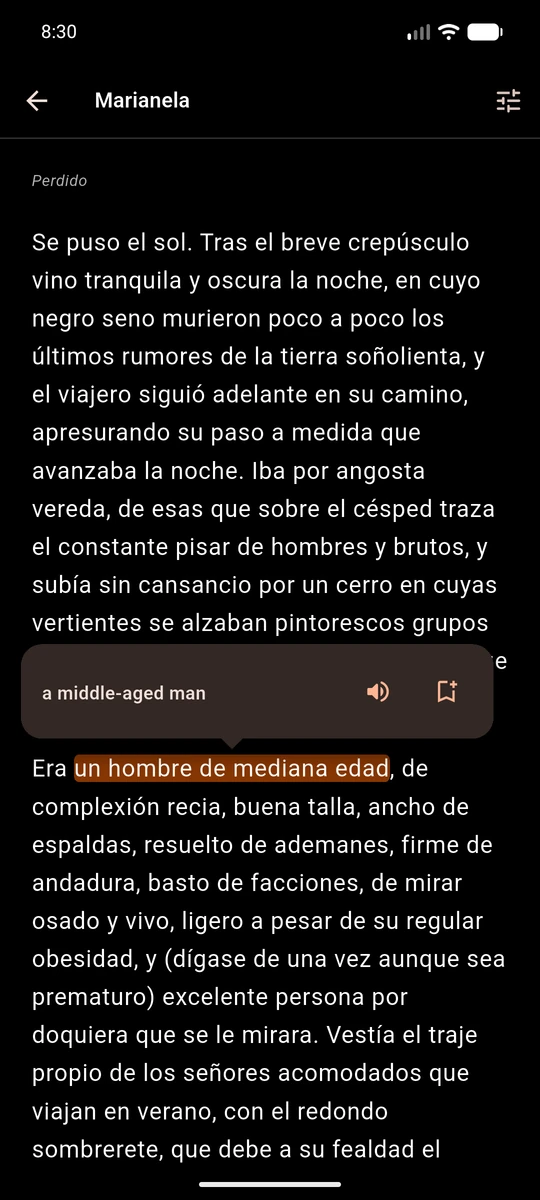
Tap a word, get the right meaning
Words often mean different things in different sentences. Amund looks at the sentence you are reading and picks the meaning that best fits, even with no connection. If you wanted a different one, the other meanings are a tap away.
- Context-aware translation, working fully offline
- Swipe across several words to translate a whole phrase, with no daily limit
- Hear a word or phrase spoken from the pop-up
- Save a word or phrase with one tap on the bookmark
Every meaning, with examples
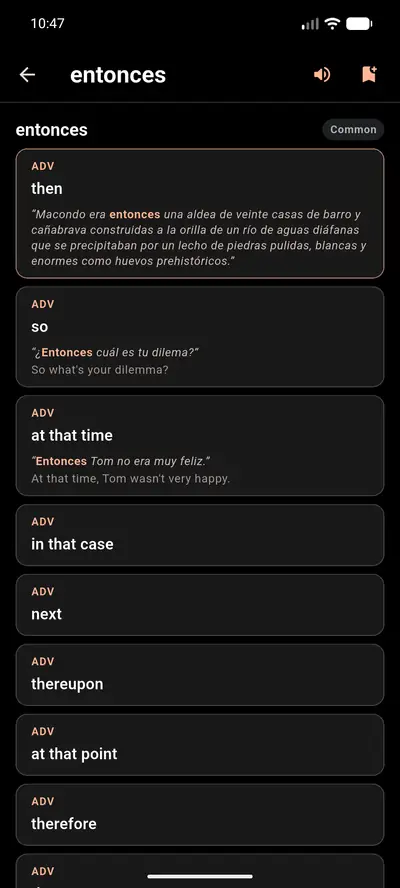
Open a word to see everything it can mean. Amund highlights the meaning it thinks fits your sentence, using the line from your book, and the other meanings sit right below it.
- Each meaning shows its part of speech
- Example sentences come with translations
- Hear the word and save it from the same page
- Its rarity label sits at the top
Real books, including yours
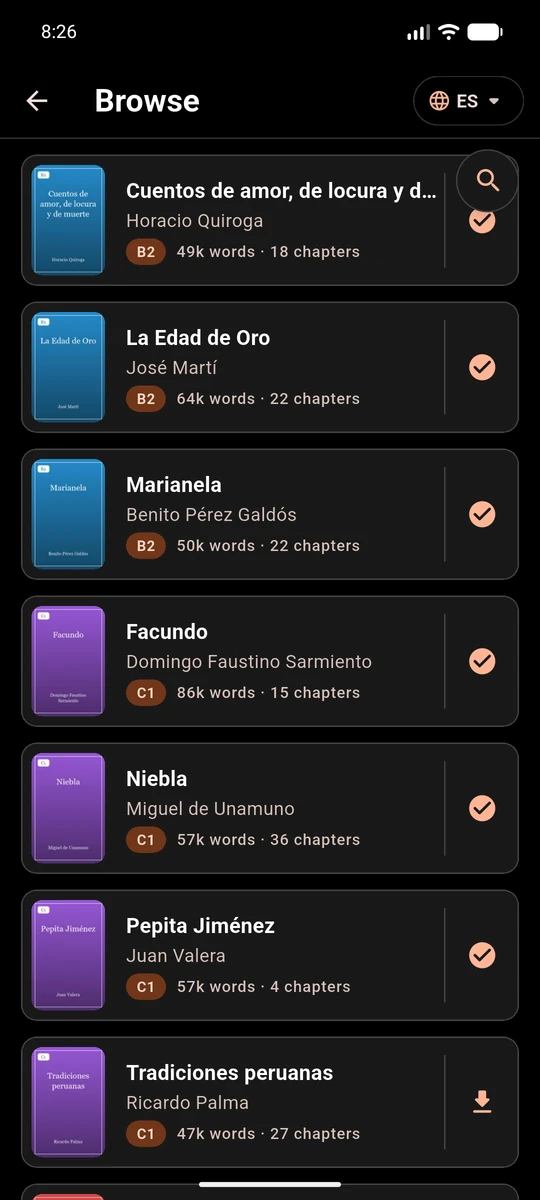
Start with free public-domain books from the Amund library, or bring your own. Every book keeps its chapters and remembers where you stopped.
- Each book shows its CEFR level, word count and chapters
- Import .epub, .txt and .amundbook files of any size that fits on your device
- Search, filter and sort your results in detail
- Search inside a book to find a passage
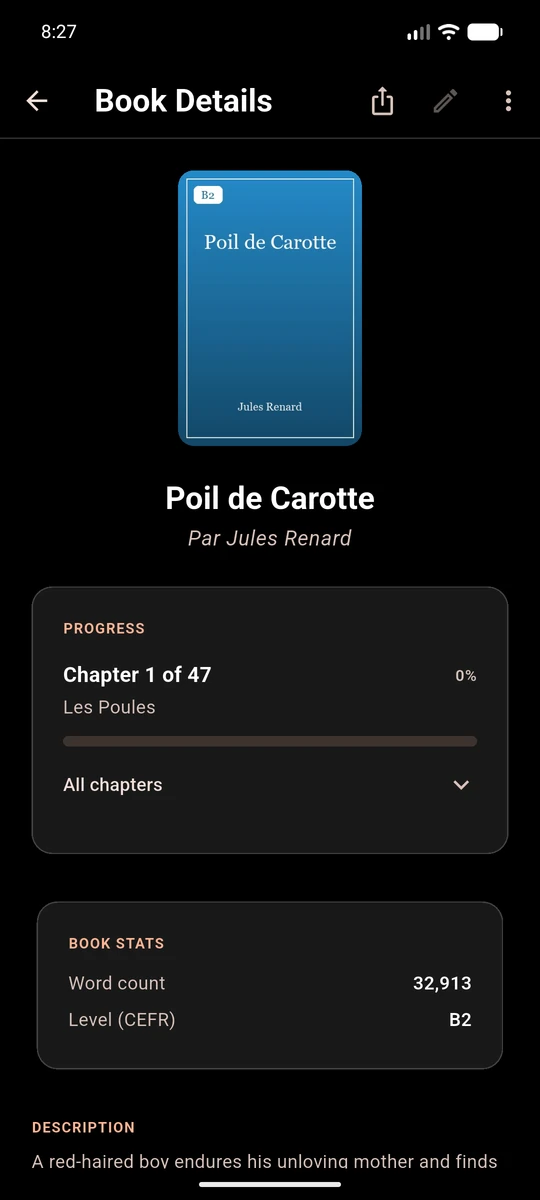
- Open a book’s page for your progress, its chapter list, word count and description
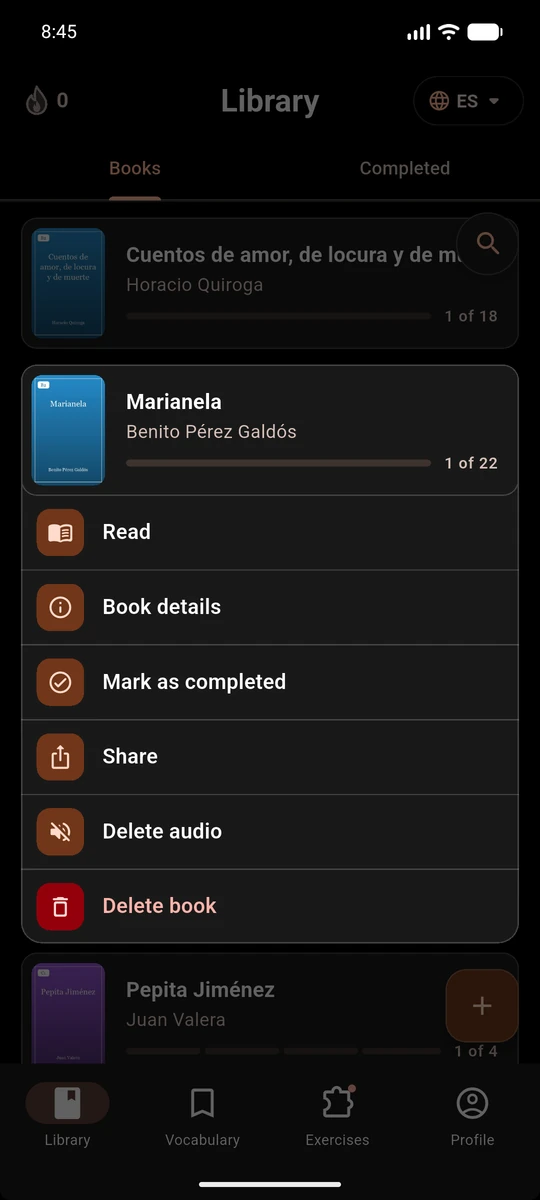
Your library, your way
Open any book’s menu to manage it. Swap between Spanish and French from the top of every main screen.
- Read, view the book’s details, or mark it as completed
- Share a book as an .amundbook file with another Amund user
- Delete a book, or delete just its audio
- Completed books move to their own tab
Every word you’ve met
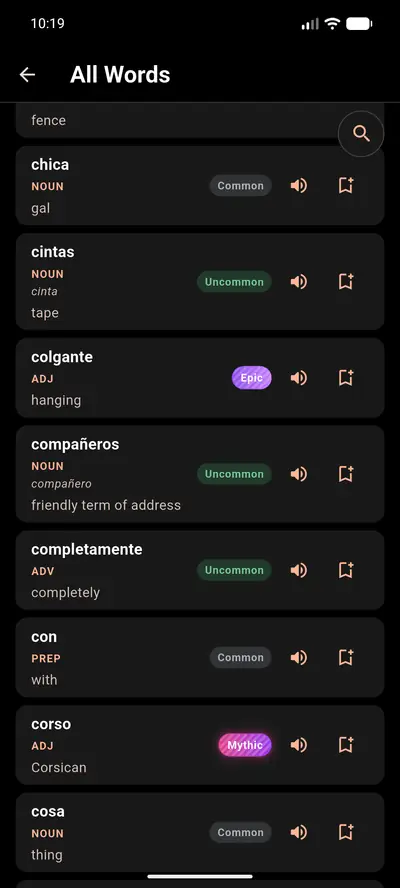
Amund keeps a list of every unique word you have come across while reading, so nothing you have seen is lost.
- Rarity labels from Common to Legendary show how often a word turns up
- Each word shows its part of speech and base form
- Hear any word spoken aloud
- Save any word straight from the list
Words that stay saved
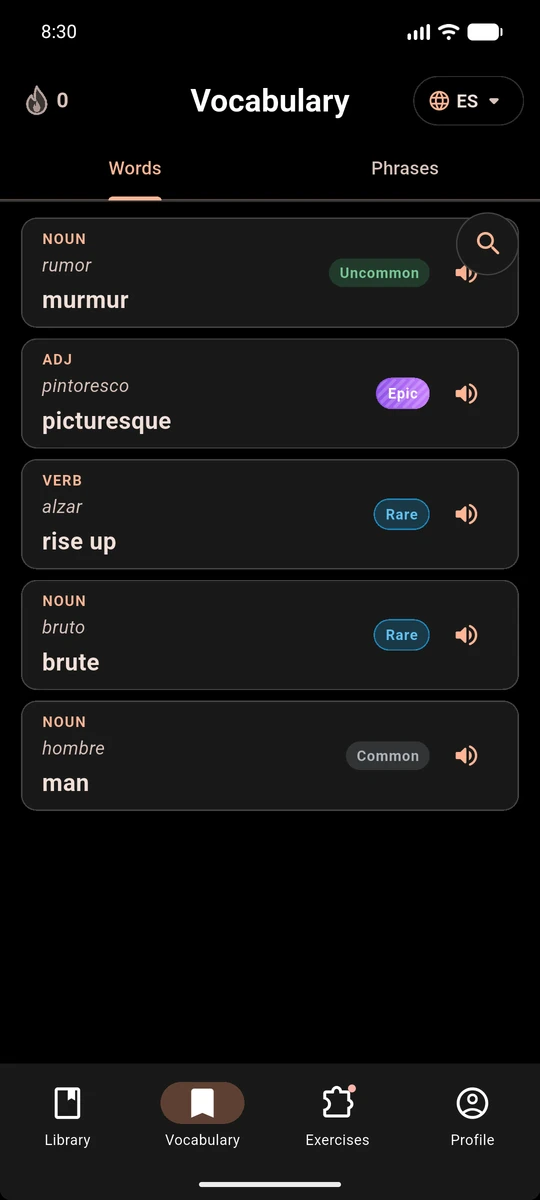
Everything you save while reading goes into one place, with its translation and the sentence you found it in.
- Separate lists for words and phrases
- Hear any saved word read aloud
- Review on a spaced schedule, so words return at the right time
Practise the way you like
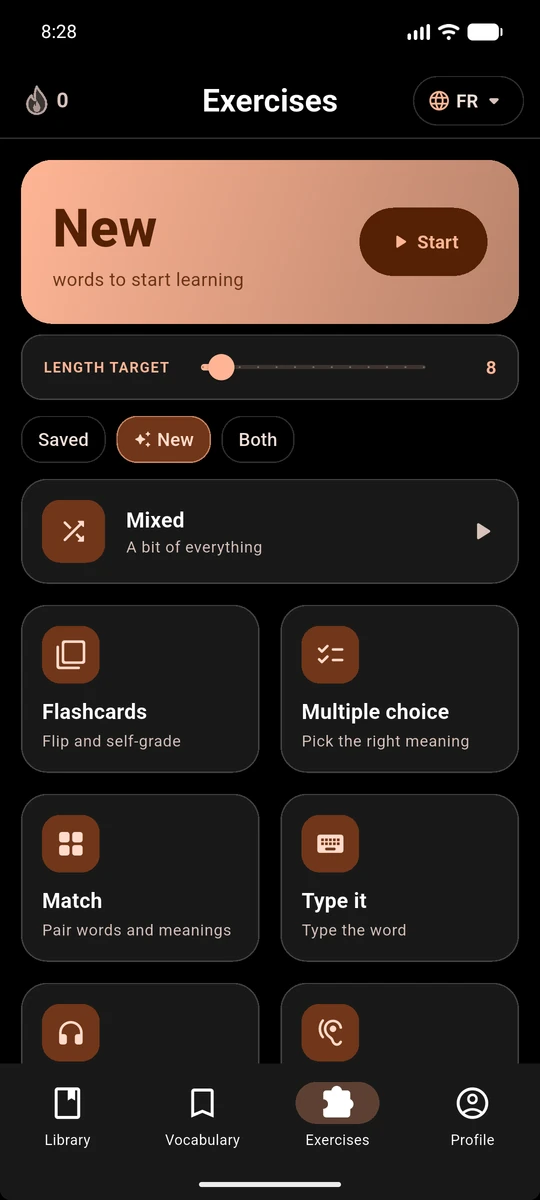
Pick one exercise type or a mix. Practise new words, saved words or both, choose words, phrases or both, and set the length of a session.
- Mixeda bit of everything
- Flashcardsflip and grade yourself
- Multiple choicepick the right meaning
- Matchpair words and meanings
- Type ittype the word
- Listen & pickhear it, then choose
- Dictationwrite what you hear
A habit that sticks
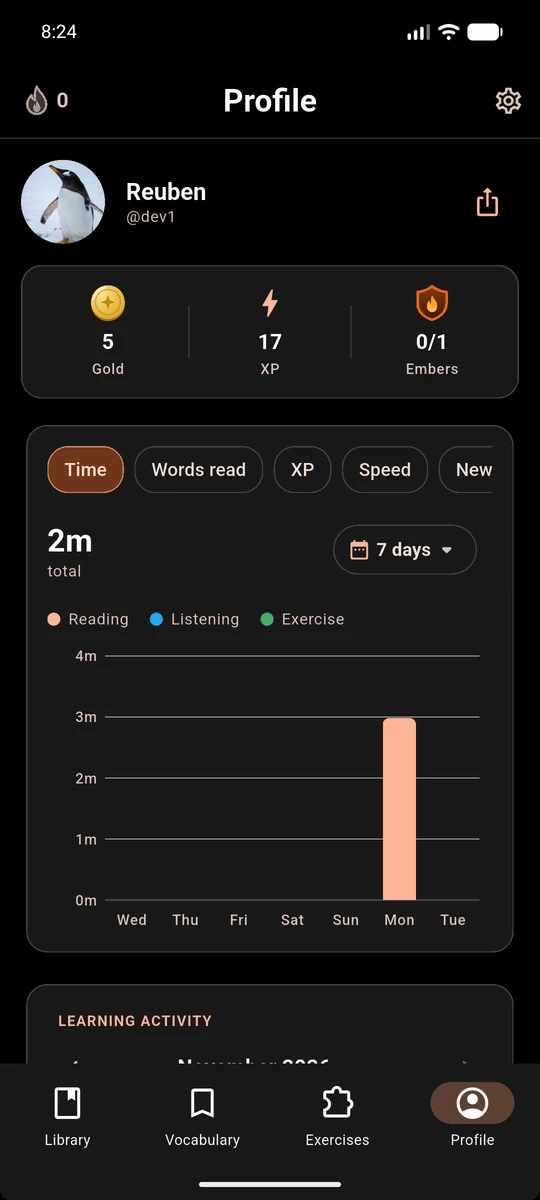
Set a daily goal and watch your progress build. Your profile pulls it all together.
- Daily goals, streaks, XP, Gold and Embers that protect your streak
- Charts for time, words read, XP, speed, new words, engagement and vocabulary, over the period you choose
- Reading, listening and exercise time shown separately
- Totals for time, words read, words saved and phrases saved, plus words translated and saved per 100 words read, each with a progress indicator
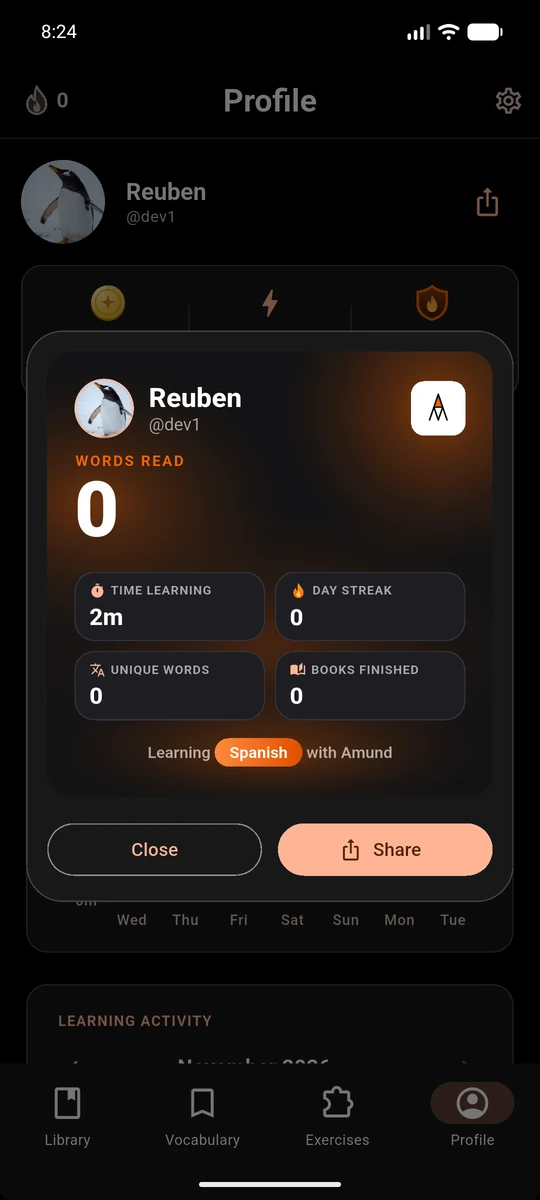
- A learning calendar and a progress card you can share with friends
Your language packs, your voice
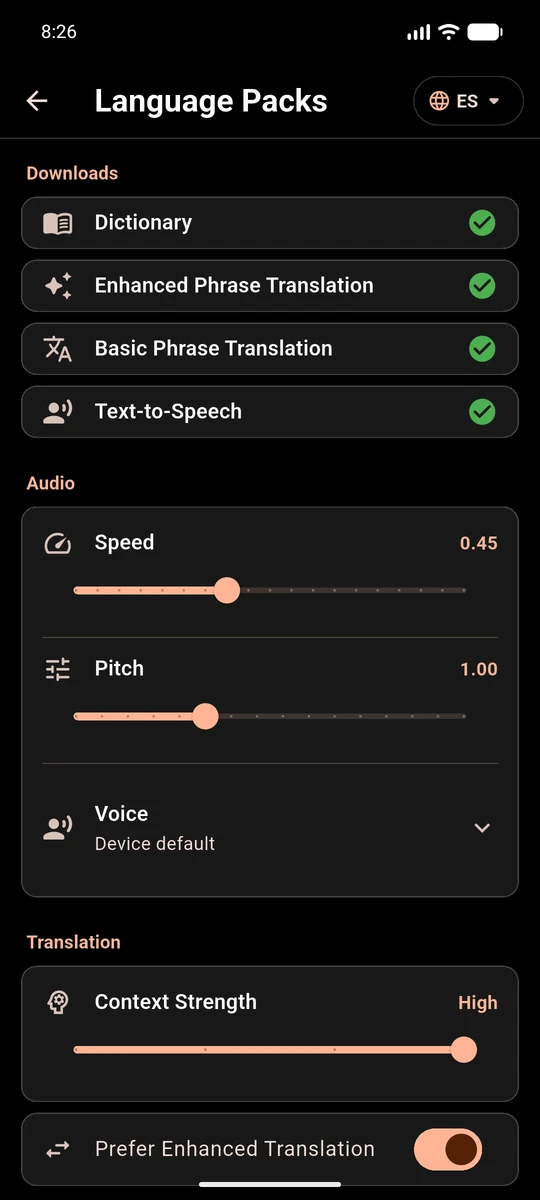
Each language has its own downloads, and you choose how audio and translation behave.
- Dictionary, enhanced phrase translation, basic phrase translation and text-to-speech, each downloaded separately
- Set the speed, pitch and voice used for audio
- Choose how strongly context guides which meaning is picked
- Prefer enhanced translation whenever you have it
Set it up the way you read
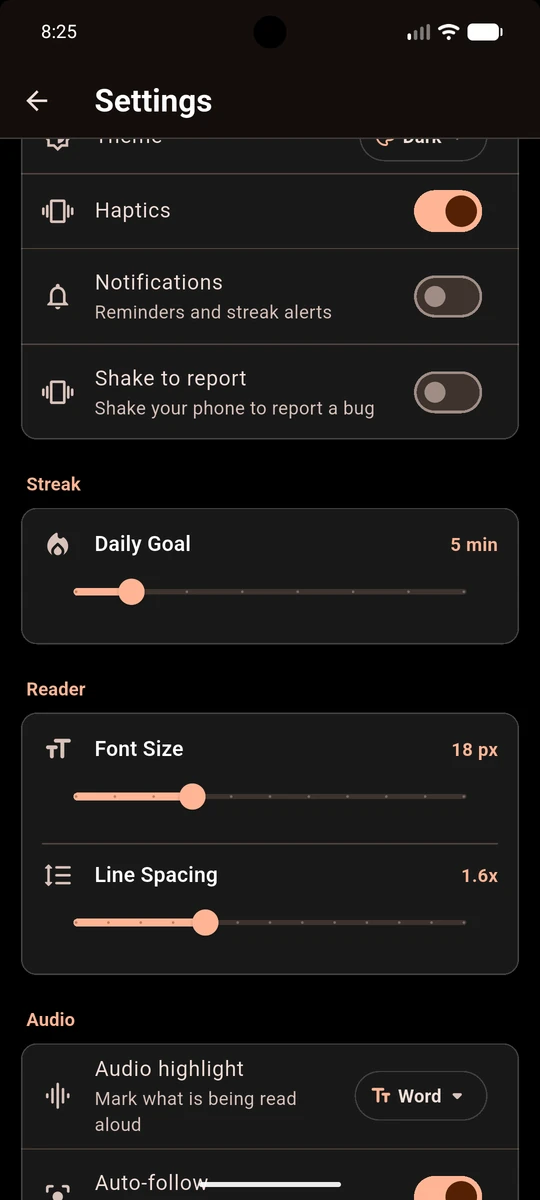
Tune the reader and your daily routine in Settings.
- Font size and line spacing
- Choose what is highlighted while a book is read aloud, such as the current word
- A daily goal in minutes
- Haptics, notifications and a dark or light theme
Use it your way
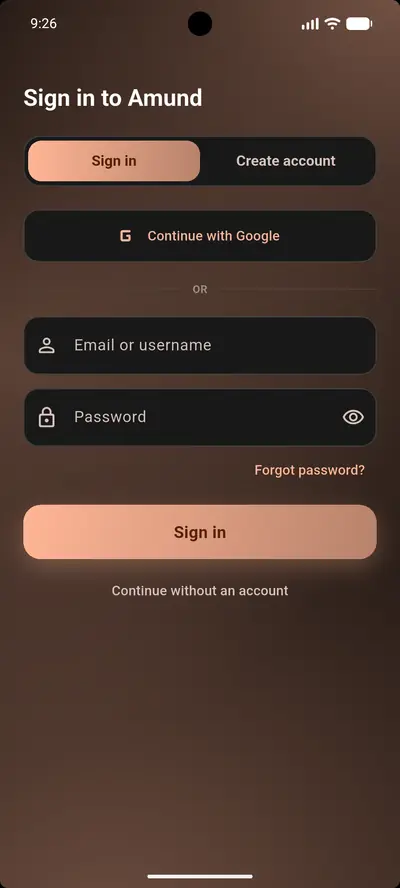
Start as a guest, or create an account when you want a backup. Either way, your lookups stay on your device.
- Continue without an account and keep everything on your device
- Sign in with email or Google to back up your library, vocabulary and progress
- Restore everything on a new device, or after reinstalling
- No ads, no advertising ID, and your data is never sold
And more
Dark and light modes
Choose the look you prefer in the app, and on this website.
Listen along
Turn any book into audio and follow the highlighted text. The audio is made on your device.
Reminders
Optional notifications are scheduled on your device and can be turned off.
Your data, your choice
Switch off usage and crash data in Settings, or delete your account at any time.
Ready to start reading?
Amund is in closed testing on Google Play. Become a tester to try it first. Questions? Read the FAQ.
Become a tester